
Ejari co-occupant record: who can add a household member
 Lida Moghaddam
Disclaimer: This article is for general informational purposes only. It is based on cited public data and published under Lida Moghaddam's RERA-licensed masthead. It is not financial, legal, or investment advice. Dubai's property market moves quickly, so figures, yields, and rules may change or become outdated by the time you read this. Verify current information with the relevant authority or a qualified professional before acting. Read the full disclaimer.
Table of contents
DLD's named co-occupant path uses 2 identity fields: Emirates ID and date of birth. As of 26 September 2026, the official service says the update is immediate, but it does not issue a co-occupant certificate or put the occupant's name on the rental contract.
Four records that should not be conflated
The cleanest way to read the service is as four separate record layers. The signed tenancy contract is the agreement presented for registration. Ejari is Dubai's tenancy-registration system, and its separate register or renew service produces an e-Contract Registration Certificate. The occupant entry sits inside the contract details, while Emirates ID and date of birth are the inputs used to verify a named person.
These distinctions come from DLD's register or renew service, occupant service and Ejari campaign FAQ, all checked on 26 September 2026. For the broader registration layer, start with the full Ejari operating guide.

Who can add a co-occupant
The official service exposes the action to an owner, a real estate company or a lessee, meaning the tenant. In its detailed registered-user route, DLD tells an individual to select a property from the dashboard where that person is an owner or tenant, then open Manage Co-occupants. The pages do not describe a route for a household member to add themselves independently.
The official wording on who can be entered is narrower than many general guides. DLD tells the user to add family members who are living in the property. The service description also refers generally to occupants, but it does not publish a list covering friends, domestic staff, visitors, subtenants or any other class. That gap should not be filled by inference. If the person falls outside the family wording, the official page does not settle eligibility and DLD is the source to ask.
The same limit applies to evidence. The current co-occupant pages expose Emirates ID and date of birth for a named entry. They do not list a passport copy, relationship certificate, tenancy NOC or landlord letter for this route. Those documents may belong to a different transaction, but they are not part of this article's official co-occupant evidence lock as of 26 September 2026.
The official Dubai REST and Ejari workflow
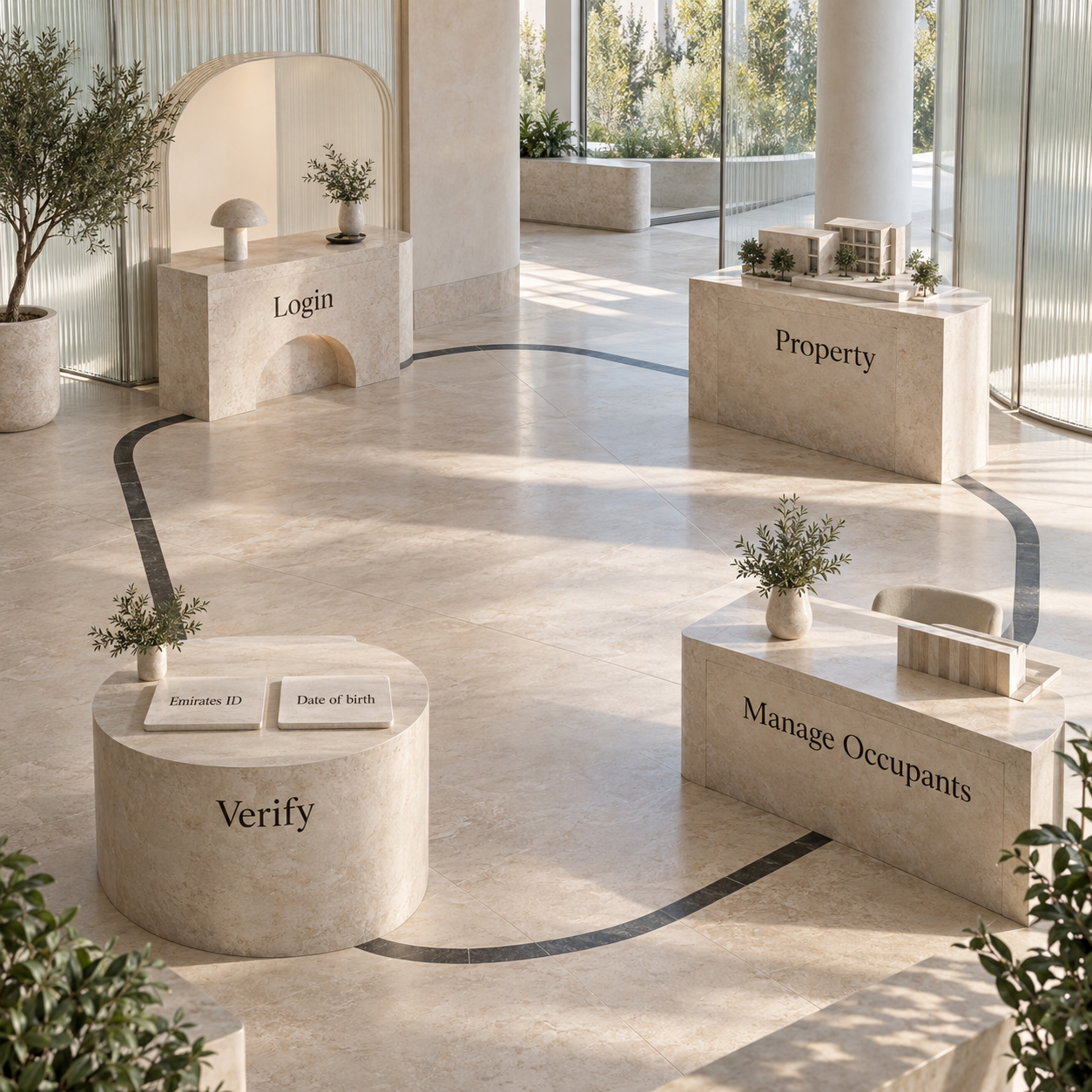
The official path starts from the property record, not from a fresh tenancy application. DLD publishes the following sequence for Dubai REST or the Ejari system as of 26 September 2026.
Log in
Open Dubai REST or the Ejari system. A new user registers first. DLD presents UAE PASS as the quick-access route.
Choose the acting role
The service overview lists Owner, Real Estate Company or lessee (tenant). The detailed web route uses Individual and then ties the action to a property where the user is owner or tenant.
Authenticate
Complete the UAE PASS identity check where that login route is used.
Select the property
From the dashboard, open the rented property whose occupants need to be managed.
Open Manage Occupants
Choose Manage Occupants Data or Manage Co-occupants. Both labels appear on DLD's current guidance pages.
Enter the household count
Enter the number of co-occupants and submit. DLD says adding their personal details is optional.
Add a named person
Select Add More, enter the person's Emirates ID and date of birth, then select Verify.
Finish additions or removals
Add the family members living in the property. To remove an existing person, select the delete icon and submit.
DLD lists the service time as immediate. That is the service-page timing, not a promise about account access, identity-profile correction or support cases. The exact official sequence is on the occupant service overview and detailed Manage Co-occupants page, checked 26 September 2026.
What the occupant record proves, and what it does not
The entry proves only what the official interface records: a household count and, where the optional details are completed, named occupant information attached to the selected property record. DLD says that information is viewed in Dubai REST through Manage Occupants within the contract details.
This boundary matters because an app record, a registered tenancy certificate and a signed agreement answer different questions. The DLD Ejari FAQ supports the certificate and contract-name limits. It does not support broader conclusions about sponsorship, immigration position or tenancy rights.
Evidence checklist before opening the service
The useful evidence file is short because the official route is short. Keep each item tied to what the screen actually asks for.
- Acting profile: access for the owner, tenant or real estate company role shown by DLD.
- Correct property: the rented property must be visible in the user's dashboard or property record.
- Current household count: the number of co-occupants to submit.
- Named-person fields: Emirates ID and date of birth for each person whose details will be entered and verified.
- Current contract view: the contract details where Manage Occupants can later be checked.
Do not silently expand this checklist with documents from ordinary Ejari registration. The separate register or renew service asks for the Unified Tenancy Contract and, in some channels, applicant identity or representative authority. The co-occupant service page instead identifies occupant identity data. Use the document list shown for the transaction actually open on screen.
Because DLD says no co-occupant certificate is issued, the official viewing route is the evidence route: open Dubai REST, enter the contract details and select Manage Occupants. A screenshot may help someone keep a personal working file, but it is not described by DLD as a replacement certificate.
Household changes and renewal questions
A household change is handled inside the same record. Use Add More for a named addition. For a removal, DLD says to select the delete icon and submit. If only the total needs to be recorded, the detailed page says the co-occupant count can be entered and submitted while personal details remain optional.
Renewal is a separate Ejari transaction. DLD's register or renew page explains that service, while the occupant FAQ says the occupants are viewed within contract details. The pages pulled on 26 September 2026 do not say whether an existing occupant list carries automatically into the renewed record. After a renewal is completed, the evidence-based check is to open the renewed contract details and inspect Manage Occupants. If the displayed household no longer matches the current household, use the published add or delete controls.
For the dates and evidence around the wider renewal process, use the Ejari renewal notice calendar. When the tenancy itself ends, the separate Ejari cancellation evidence guide covers that record change.
Who adds an occupant to an Ejari record?
DLD's service presents Owner, Real Estate Company and lessee (tenant) roles. Its detailed route tells an individual to select a property where they are an owner or tenant, then open Manage Co-occupants. This was checked 26 September 2026.
Does a co-occupant become the tenant?
The official pages do not say the entry changes the tenant or substitutes a contract party. DLD says no co-occupant certificate is issued and the occupant's name does not appear in the rental contract, as of 26 September 2026.
What should be done when the household record changes?
Use Add More for an addition, or the delete icon and submit for a removal. After an Ejari renewal, inspect Manage Occupants in the renewed contract details because DLD's published pages do not state that entries carry over automatically.
Can a named co-occupant be added without an Emirates ID?
DLD says the household count can be submitted while personal details remain optional. For a named entry, however, the published route asks for Emirates ID and date of birth; the page does not describe a passport-only named-entry route.
Is a certificate issued for co-occupant registration?
No. DLD's Ejari campaign FAQ says no certificate is issued and directs users to view the information in Dubai REST through Manage Occupants within the contract details.
Lida MoghaddamArchitect-turned-real-estate-specialist based in Dubai. She helps buyers, sellers, and investors read property with a designer's eye — structure, location, and long-term value.